



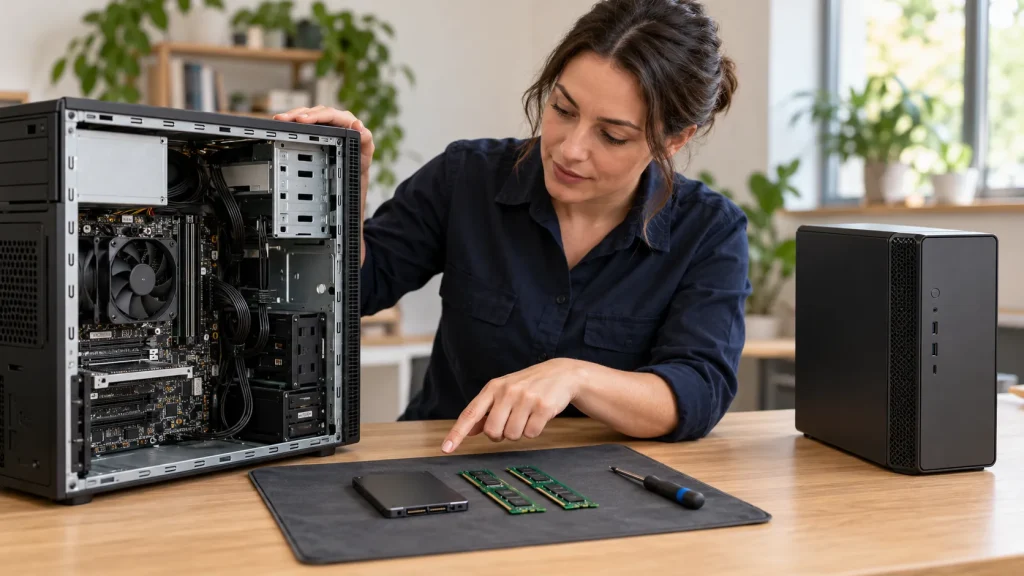
Should I Upgrade My PC or Buy a New One?
Your computer used to be quick. Now it takes ages to start. Programs freeze. The fans sound like a hair dryer. You start looking at new computers online, and the prices make you stop. So you wonder, should I upgrade my PC or buy a new one? It’s a common question in Australian homes and offices, and the right answer can save you hundreds of dollars.
Upgrade if your PC is under about 5 years old and the main problem is a slow hard drive, low RAM, or a weak graphics card. An SSD upgrade and a RAM upgrade are cheap and give the biggest speed boost. Buy a new PC if your computer is over 7 years old, has an unstable motherboard, can’t run Windows 11, or needs several parts at once. A simple rule helps: if upgrade costs go over half the price of a new PC, buying new is better value.
Signs Your PC Is Worth Upgrading
Not every slow computer needs replacing, and a PC hardware upgrade often fixes the problem. Often, one weak part is holding back the whole system. Your PC is likely worth upgrading if:
- It has a slow boot because it still uses an old hard drive.
- It only has 8GB of RAM and stutters when you open many tabs.
- It’s a fairly new PC that suddenly slowed down. This could be a virus or malware, not old hardware.
- Games lag, but everyday tasks run fine. You may only need a GPU upgrade.
- The case has spare slots for more memory or storage.
Signs It’s Time to Buy a New PC
Sometimes an upgrade old PC plan just doesn’t add up. It’s usually time for PC replacement if:
- Your computer has a pre-2017 processor that can’t run Windows 11.
- It has a dead motherboard or random shutdowns.
- Several parts are failing at the same time.
- New parts won’t fit your old motherboard or power supply.
- It lacks modern features like USB-C and Wi-Fi 6.
The Windows 10 Deadline Most People Missed
This is a big reason many Australians face this choice right now. Microsoft ended Windows 10 support on 14 October 2025. Without security updates, an old PC is more exposed to viruses and scams. Microsoft offers Extended Security Updates until October 2027, free with some account settings or for a small one-off fee. But that only buys time. If your PC can’t run Windows 11, it’s a strong sign to plan a new PC.
Which PC Parts Are Worth Upgrading?
SSD Upgrade: The Biggest Speed Boost
If your PC still uses an old hard drive, an SSD upgrade is the best money you can spend. According to the experts, an SSD can make boot times 3 to 5 times faster and open apps 2 to 4 times faster.
RAM Upgrade: Smoother Multitasking
A RAM upgrade helps if your PC freezes with many programs open. You can check Task Manager by (press Ctrl+Shift+Esc). If memory use sits near 90%, you need more RAM.
- 16GB suits most homes, study and office work.
- 32GB suits creative work and heavy multitasking.
GPU Upgrade: Better Gaming and Design
A graphics card upgrade helps gamers and designers. A new GPU can lift gaming frame rates by 30 to 120%. Before you buy, check your power supply wattage and case space. But sometimes a CPU upgrade is tricky. A new processor often needs a new motherboard and RAM too. At that point, a new PC is often cheaper.
How Much Does a PC Upgrade Cost in Australia?
Here’s a guide to PC upgrade cost in Australia, based on 2026 parts prices.
| Upgrade | Parts Cost (AUD) | Best For |
| 16GB DDR4 RAM | About 179–219 | Slow multitasking |
| 32GB DDR4 RAM | About 349–425 | Creative work |
| 1TB SATA SSD | About 165–195 | Slow boot and loading |
| 1TB NVMe SSD | About 243–349 | Faster storage |
| Mid-range GPU | About 579–679 | Gaming and design |
| 650W power supply | About 65–129 | Supporting a new GPU |
Prices change often. RAM and GPU prices rose in 2026 due to high demand from AI data centres, so check current prices before you buy.
Desktop vs Laptop: What Can You Upgrade?
- Desktops are easy to upgrade. You can change the RAM, SSD, GPU and power supply.
- Laptops are more limited. You can often upgrade the RAM and SSD, but the CPU and GPU are usually soldered in place.
Tips for Australian Home users and Small Businesses
Use a surge protector: Summer storms can cause power surges that may damage your PC’s power supply or motherboard.
Keep your PC free of dust: Clean dust from the computer every 6 to 12 months. Dust can block airflow and make the PC overheat.
Keep the PC in a cool place: Avoid placing it in direct sunlight or near a heat source. High temperatures can affect computer performance.
Back up your files before an upgrade: Save important photos, documents, and business files before any upgrade or data transfer.
Keep some free storage space: A drive that is almost full can cause problems. Delete unwanted files or consider adding an SSD.
Check parts before buying them: Make sure new RAM, an SSD, GPU, or other parts are compatible with your PC.
Pay attention to slow performance: If your PC takes a long time to start or programs open slowly, it may need an upgrade or repair.
Do not ignore strange noises: Loud fans, clicking, or grinding sounds can be signs of a hardware problem.
Back up business data regularly: Small businesses should keep regular backups of important customer records, documents, and work files.
Get Expert PC Upgrades in Melbourne With Smart Geeks
Not sure whether to upgrade or replace your PC? Our local geeks can help. As a trusted computer repair Melbourne service, Smart Geeks offers computer diagnostics, RAM upgrades, SSD migration, GPU upgrades and motherboard replacement for desktops and laptops. We’ll tell you honestly what’s worth fixing, and what isn’t.
Book your computer repair with Smart Geeks today and get your PC running fast again.
Running a business with many computers? Our business IT support team can plan upgrades and replacements for your whole office.
Conclusion
So, should I upgrade my PC or buy a new one? If your PC is fairly new and just slow, an SSD upgrade and RAM upgrade can give it years of extra life. If it’s old, unstable, or stuck on Windows 10, a new PC is the smarter choice. First back up your files, and get a proper diagnosis before you spend your money on anyting. With the right choice, you’ll have a fast, reliable computer again, and that feels great.
FAQs
Is it cheaper to upgrade a PC or buy a new one?
Usually, upgrading is cheaper. An SSD and more RAM cost far less than a new PC. But if you need a new CPU, motherboard and GPU, buying new is often better value.
How do I know if my PC needs an upgrade?
Look for slow start-up, freezing with many programs open, or poor gaming performance. If the PC is under 5 years old, an upgrade usually helps.
Is upgrading RAM worth it?
Yes, if you have 8GB or less. Going to 16GB makes multitasking much smoother.
Can an SSD make an old computer faster?
Yes. An SSD is the single biggest speed boost for a PC that still uses a hard drive.
How long should a PC last in Australia?
Most PCs last about 5 to 7 years with good care. Heat, dust and power surges can shorten that.
Can I still use a Windows 10 PC?
Yes, but support ended in October 2025. Without security updates, it’s riskier to use online. Plan an upgrade to Windows 11 or a new PC.