



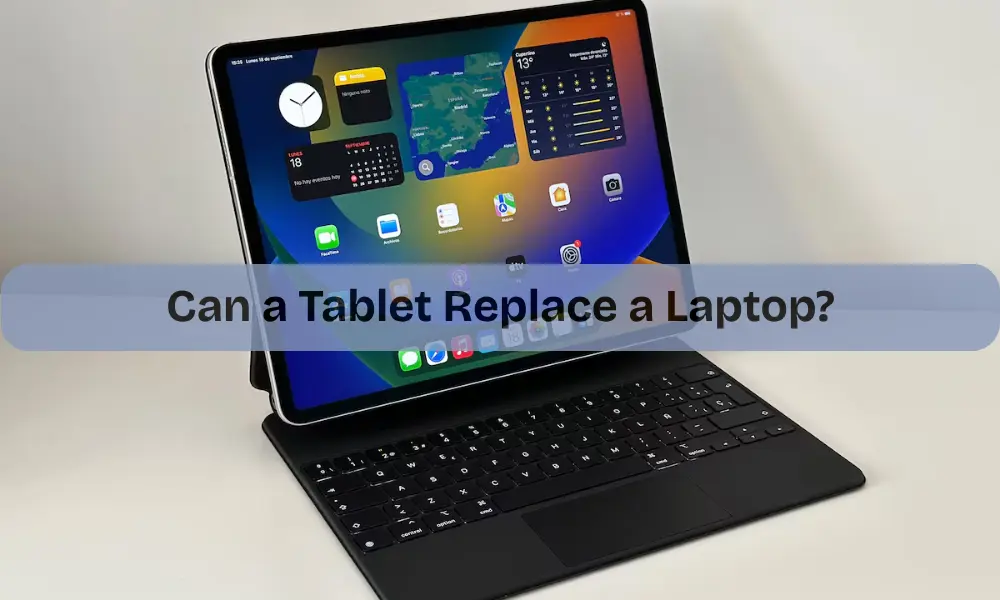
Technology is changing faster than ever. A few years ago, tablets were mostly used for watching videos or scrolling through social media. Today, they’ve become more powerful, flexible, and portable, making people wonder: Can a tablet replace a laptop?
The answer isn’t as simple as yes or no. It depends on what you use your device for and how much performance you expect. Let’s explore how far tablets have come and whether they can truly take over the role of laptops.
The Blurring Line Between Tablets and Laptops
Not too long ago, laptops were the clear winner for anyone who needed serious work done. But that line is now blurring. Modern tablets come with detachable keyboards, stylus pens, and powerful processors that rival some laptops.
Operating systems like iPadOS, Android, and Windows-on-tablet versions now support multitasking, split screens, and even external drives. Tablets have evolved from basic media devices into hybrid machines capable of handling productivity tasks.
Manufacturers are also focusing on performance. Many new models now feature fast processors, strong battery life, and bright, high-resolution displays. These upgrades make them perfect for students, professionals, and even travelers who need lightweight, on-the-go productivity.
Why Tablets Are Becoming a Popular Laptop Alternative
Tablets are designed for convenience. They’re light, slim, and instantly ready to use. Unlike laptops that take time to boot up, tablets wake up with just a touch or face unlock. But that’s not their only strength.
Portability and Everyday Comfort
One of the main reasons people switch to tablets is portability. You can slip a tablet into your bag, hold it comfortably for hours, or use it while lying down. Even the largest tablets weigh less than most small laptops. That makes them ideal for travel, reading, or working on the move.
Impressive Battery Life for All-Day Use
Another area where tablets shine is battery life. While laptops often need a charger after 6–8 hours of heavy use, tablets can run for 10–14 hours on a single charge. This longer endurance is perfect for long flights, meetings, or study sessions.
A Natural Touchscreen Experience
Using a tablet feels more natural and interactive. The touchscreen interface makes browsing, sketching, and note-taking effortless. For creative users, stylus support brings digital art, handwriting, and design work to life, something that doesn’t feel as intuitive on a traditional laptop.
Cloud Power and Seamless Connectivity
The rise of cloud storage has made tablets even more capable. Files can now be saved, edited, and shared online without worrying about limited built-in storage. Many tablets also come with cellular options, meaning you can stay connected anywhere, even without Wi-Fi. This freedom gives tablets a strong advantage for people who value flexibility and mobility.
When Laptops Still Outperform Tablets
Despite all these improvements, laptops still hold their ground in some important ways.
Superior Power and True Multitasking
When it comes to handling heavy tasks, like video editing, programming, or running multiple apps, laptops are still ahead. They have cooling fans, higher processing power, and can handle complex workloads without lag. Tablets can manage light productivity but often struggle with demanding software.
Better Typing and Precision Control
Typing long reports or emails on a touch screen can be uncomfortable. While attachable keyboards help, they don’t always match the feel of a full laptop keyboard. Similarly, precision work, like spreadsheet editing or detailed photo retouching, is often smoother with a mouse or trackpad.
More Ports and Expansion Options
Most tablets come with just one USB-C or charging port, limiting the ability to connect external drives, displays, or other accessories. Laptops, however, come with multiple ports, USB, HDMI, and SD card readers, making them more practical for professionals.
Offline Strength and Software Compatibility
Laptops also perform better offline. Many desktop applications are still not fully optimized for tablets. For example, heavy software like Photoshop, AutoCAD, or advanced Excel macros runs far more efficiently on a laptop. Tablets rely heavily on apps and cloud connectivity, which might not always be ideal for offline work.
When a Tablet Can Successfully Replace a Laptop
For many people, tablets are already enough. If your daily activities include browsing, writing documents, attending online classes, watching videos, or doing video calls, a tablet can easily take the place of a laptop.
Students can use it for note-taking and reading. Professionals can draft emails, manage projects, and join meetings. Creators can draw, design, and edit basic photos. The addition of a keyboard and stylus makes the experience even closer to a traditional computer.
The key is to understand your usage. If your tasks are light to moderate, a tablet can meet all your needs while being easier to carry and more energy efficient.
The Future of Tablets and Laptop Replacement
Looking ahead, tablets are likely to play an even bigger role in our digital lives. The line between laptops and tablets will continue to fade as technology evolves.
New processors are becoming faster and more efficient. Detachable keyboards are improving in comfort and design. More software developers are creating tablet-friendly versions of professional tools. Cloud technology is making it easier to work from anywhere, on any device.
In a few years, the question might not be “Can a tablet replace a laptop?” but rather, “Do we still need laptops at all?”
However, as of now, the answer depends on how you work. Heavy multitaskers, gamers, and professionals who rely on powerful apps may still prefer laptops. Meanwhile, casual users, students, and remote workers will find tablets to be a practical, lightweight alternative.
How to Choose the Right Device for Your Needs
Before deciding, consider how you use your device daily. If you’re mostly typing, editing, or using web apps, a tablet can handle it easily. If you need more storage, power, or multiple connections, a laptop remains the better option.
Also, think about your environment. For example:
- A student or traveler may prefer a tablet for portability.
- A designer might enjoy the touchscreen for drawing.
- An office professional who often switches between applications will likely stay with a laptop.
At the end of the day, the goal is to balance performance with convenience. Tablets and laptops are no longer rivals, they’re partners in modern productivity.
Final Thoughts
So, can a tablet replace a laptop? In many cases, yes, especially for those who prioritize lightness, flexibility, and battery life. Tablets have evolved into powerful machines that can easily manage work, entertainment, and creativity.
Still, for heavy software users, developers, or those who rely on multitasking, laptops remain a stronger option. The best choice comes down to your lifestyle and work needs.
Whether you prefer the versatility of a laptop or the portability of a tablet, technology today gives you both worlds in one device. And if you ever face technical issues with your device — from computer repairs to mobile phone repair or even a WiFi setup, make sure you get professional help to keep your gadgets running smoothly.
In the end, the right device is the one that fits your rhythm — not the other way around.