



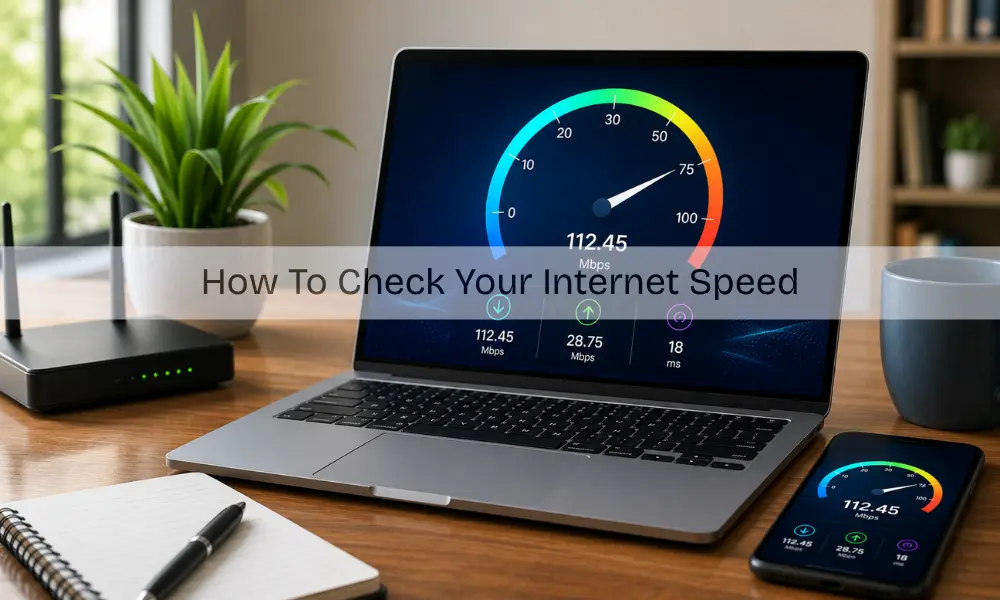
Slow-loading pages and buffering videos can easily ruin the online experience. The speed of your internet quietly decides how smoothly everything runs, whether it’s streaming, browsing, or joining meetings.
Knowing how to check your speed of internet speed helps reveal if the connection is performing well or if there is a hidden issue causing delays. Many people only notice the problem when tasks start taking longer than usual.
Understanding how fast my internet is and learning how to test it correctly can make everyday use of technology much easier.
The Basics of Internet Speed
Before testing internet speed, it helps to understand what those numbers on the screen actually mean. Internet speed is measured in Mbps, or megabits per second. This number shows how much data travels each second through the connection.
Three key elements shape internet performance:
- Download speed shows how quickly data arrives, like when watching videos or loading websites.
- Upload speed reveals how fast data gets sent, like uploading photos or sending emails.
- Ping (latency) measures how quickly the connection responds.
Together, these factors define overall performance. If devices seem slower than normal, running a quick test can help find out the cause. Sometimes, even after checking how fast my internet is, the issue turns out to be hardware-related. In such situations, professional computer repairs can help restore performance.
Trusted Tools for Checking Internet Speed
There are several reliable tools for checking internet speed. Popular options include Ookla’s Speedtest, Netflix’s Fast.com, and Google’s built-in internet speed checker. These services provide results within seconds and show both download and upload performance.
Before testing, it’s better to close background apps, pause downloads, and connect directly to the main Wi-Fi network. Then start the test and wait for the results. These steps make checking for internet speed more accurate and trustworthy.
If the results vary often, it might indicate a router or signal problem. In that case, expert Wi-Fi setup support can help improve stability.
How to Check Your Speed of Internet Speed at Home
Learning how to check your speed of internet speed is simple and requires no technical background. Any device connected to Wi-Fi can perform a test through an online speed testing site.
Here’s how to do it:
- Close unnecessary tabs or apps.
- Connect to Wi-Fi or plug in an Ethernet cable.
- Open a trusted testing website.
- Start the test and wait for the numbers to appear.
The displayed results will show what is my internet speed, including download, upload, and ping. Running the test a few times during the day gives a better overall picture. When checking internet speed, consistency matters more than a single test.
Reasons Behind Slow Internet
Even after learning how quick my internet is, the connection may still feel slow at times. There are several common reasons for this problem:
- Outdated routers or poor placement in the home.
- Network congestion during busy hours.
- Too many connected devices are using the same bandwidth.
- Software updates or background apps using data.
- Hardware issues that reduce performance.
If slow speed persists, the cause might not be the network. Getting the devices checked through Laptop Repairs or mobile phone repair can often solve hidden technical issues.
Wired or Wireless: Which is Better?
When trying to check speed of wifi connection, wired networks almost always deliver faster and more stable performance. They are not affected by interference or distance. Wi-Fi, on the other hand, depends heavily on signal strength and router placement.
Modern routers now use dual-band frequencies that improve coverage. Placing the router in an open and central space usually enhances your internet speed. For households with many devices, getting help from a professional for Wi-Fi setup ensures better connection strength and fewer drops.
What to Do if the Internet Feels Slow
After checking for internet speed, if the numbers are consistently lower than expected, a few simple fixes may help.
- Restart the router and modem.
- Keep the router in an open space, away from walls.
- Disconnect extra devices not in use.
- Update the router firmware.
- Contact the internet provider if problems continue.
Why Regular Speed Checks Are Important
Regular testing internet speed keeps the connection reliable and transparent. It shows whether the provider is delivering the speed promised in the plan. Keeping records also helps track changes over time and identify sudden drops.
Knowing what is my speed of my internet also helps in making better decisions when upgrading or switching providers. Regular monitoring creates awareness and helps maintain a smoother experience in every online task.
For reliable Wifi Setup, fast Laptop Repairs, and expert support to improve device performance, visit Smart Geeks and keep every connection running smoothly.
Conclusion
Staying connected smoothly depends on regularly checking and understanding your internet speed. Knowing how to test your connection helps you spot hidden issues early and enjoy faster browsing, streaming, and video calls without interruptions.
Whether it’s improving Wi-Fi setup, upgrading old devices, or seeking expert help, taking small steps can make a big difference in performance. If your internet still feels slow or unstable, don’t wait, contact us at Smart Geeks for professional support, reliable Wi-Fi setup, and quick laptop repairs to keep your online experience running seamlessly.